

Code structure: Export files
Intent
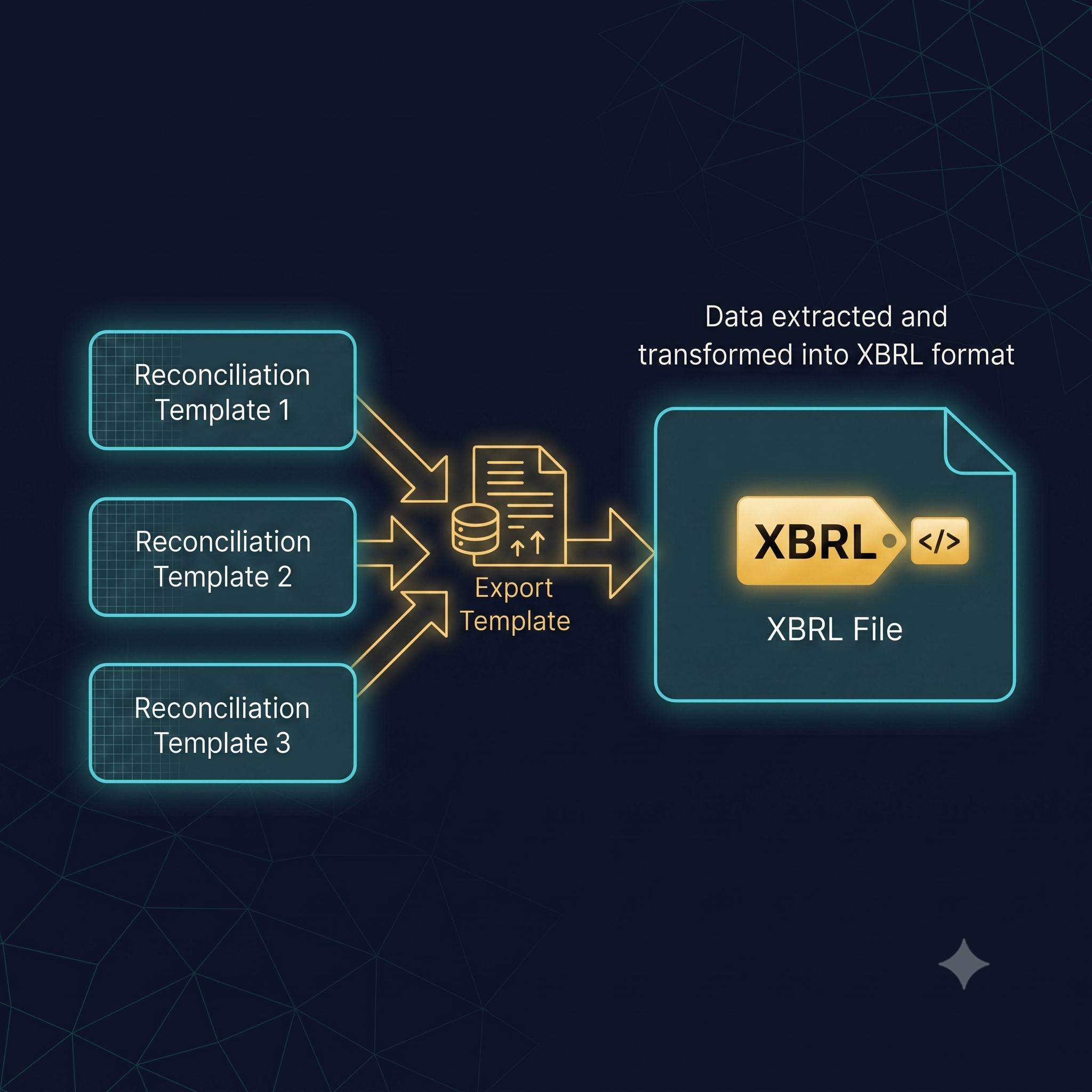
Export templates are the final step in a company file’s data flow: they extract prepared data into a predefined file format (CSV, XLS, XBRL, XML, iXBRL, …).
An export template should only read prepared outputs (typically results) from upstream templates. It should avoid adding new business logic and should not store data itself.
Problem
Export templates are easy to “grow” into business-logic templates over time (calculations, formatting logic, fallbacks, etc.). That increases maintenance cost and creates a risk that the export diverges from the on-screen logic, especially when upstream logic changes.
Solution
Keep export templates focused on extraction only:
- Compute and validate all business logic in upstream “source” templates (accounts, reconciliations, shared parts, …).
- Expose stable, intentional outputs from those templates (preferably via results).
- In the export template, map those outputs into the required file structure with minimal logic.
Structure
Examples / Applicability
Some examples:
- XLS-file Think of a XLS-file with all data from the accounts, like the account number, account description and value.
- CSV-file Think of a CSV-file with all the transactions and adjustments
- XBRL-file Common file-format across markets, which uses specific tags to present financial data
- XML-file Similar to a XBRL-file, having all kinds of data presented with so-called XML-tags
- iXBRL-file Different than a XBRL-file, in which the contents of the iXBRL-file are visualised as well into a HTML-document
How to implement
- Extract data via results: access data through results rather than directly reading inputs/customs in the export template. This reduces coupling and makes exports more resilient to upstream changes.
- Avoid business logic in the export template: do calculations, defaults, validations, and data shaping in source templates; export templates should primarily map prepared outputs to the target format.
- Use Slim syntax when applicable: for structured formats (XML, XBRL, …), Slim syntax can reduce boilerplate and keep exports readable, while avoiding conditional Liquid blocks for structural concerns.
Updated 4 months ago
Did this page help you?