

Reconcilation icons
Reconciliation icons are visual cues that show users how specific data points directly impact the reconciliation status of a template. They help users quickly understand which items have been checked and whether action is required.
Content
When to use and don't use
| ✅ When to use | 🚫 Don't use |
|---|---|
| Show reconciliation status of a template | Errors that don’t impact the reconciliation status of a template |
| Includes input validation and mandatory fields | |
| Calculations |
Reconciled icon
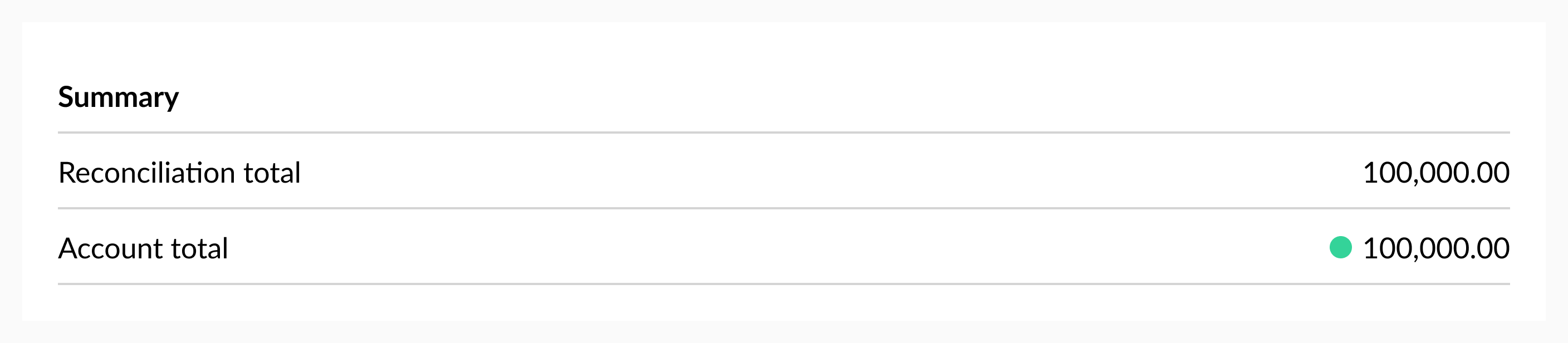
This icon used to let user know that a check is performed and it’s reconciled.
Unreconciled icon
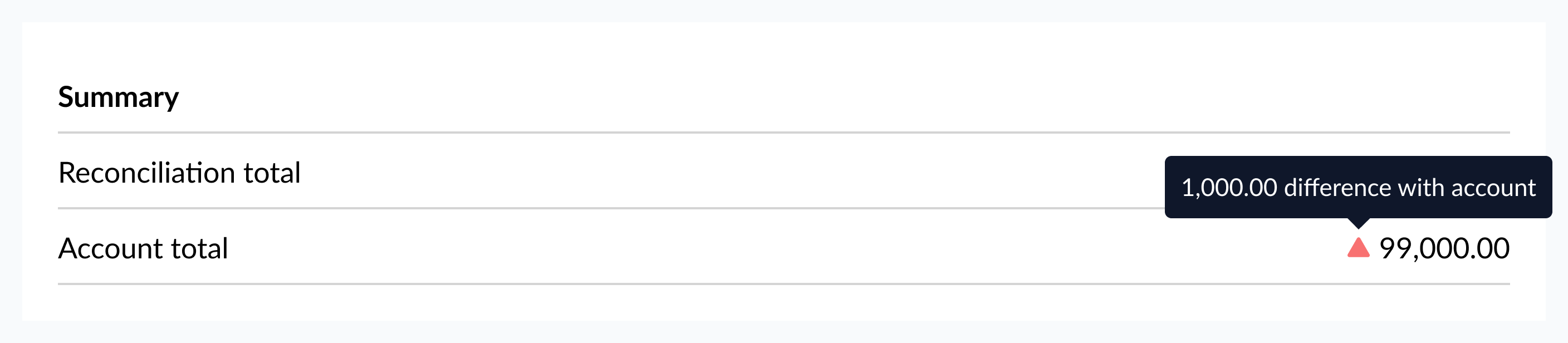
This icon shows that a check has been performed and the value impacts the reconciliation. Always include a tooltip to explain why the item affects the reconciliation and what action the user needs to take.
Input validation
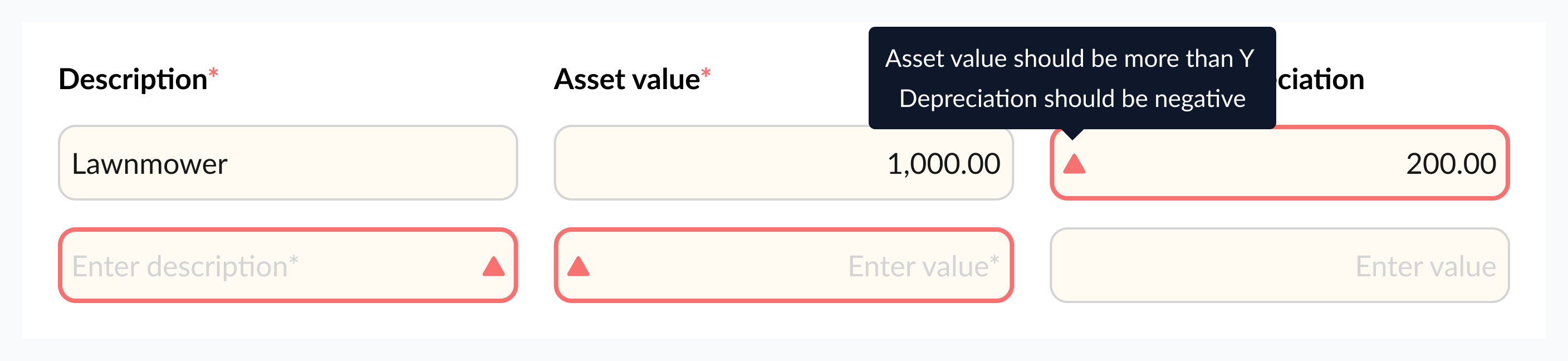
The position of icon are automatically handled when using input validation. Validation rules are checked ‘live’ as users type so that issues can be spotted and corrected without the user having to save.
Updated 10 months ago
Did this page help you?